Showing posts with label software. Show all posts

2/23/11

Guide to convert PowerPoint document formats

Method 1: Convert PowerPoint to video document
Method 2: Convert PowerPoint presentations. ppt and. pps to. swf
Here is how to guide each
Method 1: Convert PowerPoint to video document
With EM Free PowerPoint Video Converter, you can make the transition easy and free. This helps you see how fast it's moving power point to video
, then you can post on video sites like youtube, google video to your friends can view

Download free version of the program in http://softbuzz.net/Windows/Audio-Multimedia/Rippers-Converters/EM-PowerPoint-Video-Converter_43.html

Program supports PowerPoint files from 2000 to 2007.

To use, the computer should have to install DirectX, download at http://soft4all.info/free-software-download/directx-aplication-for-running-and-displaying-applications-rich-in-multimedia-elements/

After installation, activate the program and you will see a screen like this:

Chuyển đổi tài liệu PowerPoint sang video

New Task button to start. Click Add File to select the file you want to convert PowerPoint click Add folder to select the folder containing the PowerPoint file that you want to convert all.

After selecting the format, you will see a new interface as below:

From the above, you can adjust the transition time between slides, or extract compressed folders and more. When ready, just click the Convert button. You will receive a message box that you definitely have saved your PowerPoint file is not opened. Click OK and continue the conversion process.

A file should take between 25-40 seconds to convert. But when completed will be a very smooth video with full effects on PowerPoint slides.

Method 2: Convert PowerPoint presentations. ppt and. pps to. swf

AuthorPOINT Lite 3

authorPOINT Lite is a free tool for PowerPoint, which helps you convert PowerPoint format. ppt and. pps to. swf flash. Besides AuthorPOINT Lite allows you to easily switch also supports free uploads to a server share to easily share with others.



guide dowload videos from YouTube quickly and easily

Today the new century, wrote some tutorial dowload videos from youtube with just a few tricks and tips:

Method 1. Kiss YouTube

The first method if you want to dowload videos from youtube as you add the word "kiss" in front of the URL in the browser address bar (for firefox, internet explorer, or google chrome) and press enter.Sau you click on the link be provided at the next site to save the file on your computer

For example, if you want to download video clips http://www.youtube.com/watch?v=ea0CDieb4yM, you just edit it into http://http://www.kissyoutube.com/watch?v=ea0CDieb4yM
9 how to download videos from YouTube simplest

Note: To use this method, the computer must install Java, download at http://www.java.com/en/download/index.jsp

Method 2. Easy Video Downloader

Way or two for people using firefox


9 how to download videos from YouTube simplest

First you need to download this plugin at https: / / addons.mozilla.org/en-US/firefox/addon/10137 (accessed by Firefox and click the Add to Firefox). After you install and restart Firefox, the plugin will be required to select the default location to save the video file is downloaded.

Option 3. Videodownloadx.com (http://www.videodownloadx.com)

nayflaf Videodownloadx.com way to allow it to convert files to be downloaded and shared with friends via email.

Method 4. Keepvid (http://keepvid.com)

This is a video sharing site that allows nog very popular download videos from Youtube, such as Google Video, MySpace Video, DailyMotion ....

Method 5. Vixy (http://vixy.net/)

This site is very convenient to just say when you dowload videos and convert other formats such as DivX avi, mov, mp4, 3gp, or mp3.

Method 6. Zamzar (http://zamzar.com)

This site is very convenient to just say when you dowload videos and convert other formats and send them to your mail.

Not only convert video files, Zazar also allows conversion of text files, image files, media files ... and share them via email.

Method 7. HD Youtube Downloader

This is a free utility that allows you to download video with the best quality from youtube and convert them to other formats. Highlights of the program is compliant can download HD video (if available).

Programs include the version installed and portable versions, download at http://soft4all.info/free-software-download/youtube-downloader-hd-free-tool-to-download-hd-videos-from-youtube / or at http://softbuzz.net/Windows/Network-Internet/Download-Managers/Youtube-Downloader-HD_40.html

Method 8. Save2pc

This is free software (free) for you to dowload videos from sites like youtube.com, google video, meta cafe and supports multiple formats conversion


free version of the program allows only download videos from YouTube. Download the free version of the program in http://soft4all.info/free-software-download/easy-to-download-video-from-youtube-with-save2pc/ or at http://softbuzz.net/Windows/ Network-Internet/Download-Managers/Savepc-Light_41.html


9/30/10

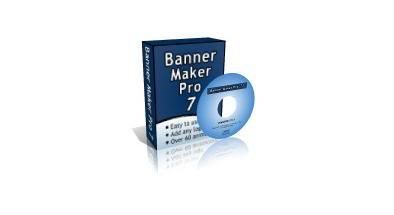
Introduction and basic operations on the Banner Maker Pro 7.0:


Banner Maker Pro is software that Quickly (and Easily!) Cho phép you to create web-based banner ads, web buttons, web headers, animated gifs, logos, image ads and other web graphics. It's not just for banners. It's an animated banner ad maker, button maker, and logo maker all in one-and it's just $ 39.99 for unlimited banner making. By using a wizard-like interface, Banner Maker Pro bạn cho phép Easily create professional looking banners, buttons, and graphics for web pages in just minutes. Simply follow the tabs at the top of the program to go step-by-step in the image making process. When you have completed the image, just save it as a GIF or JPEG and add it to your website. Create an animated banner or button in under 5 minutes! No graphics Expertise needed.

Benefits of using Banner Maker Pro
• Banner Maker Pro is the easiest way to make web graphics. You can create an animated banner in just 5 minutes with no graphic skills.
• More customizable than other online banner and button makers.
• Create any sized image from 80 x 15 buttons to web blog headers that stretch across the top of a web page.
• Add any image, photo, or logo. Added All images can be resized and blended using transparency.
• Over 60 khác one-step animations. Create your banner, choose your animation and save. It's that easy.
• More text effects than any online banner maker - add borders and three types of shadows (sharp, diffuse & glow). Change the character spacing and transparency. Set the text at an angle. Use any font on your computer. Set the text at an angle or wrap it around a circle. Unicode text is supported and all text uses anti-aliasing for clean and sharp looking characters.
• Over 500 backgrounds and stand alone images. Backgrounds images are unique custom created backgrounds that can not be Found anywhere else. Images include over 40 khác "click here!" 40 khác common window buttons and control images.
• Undo and Redo changes. Also, animations can be saved and edited later.
• The Power Preview cho phép you to view hundreds of combinations of your image khác có khác backgrounds and fonts.
• Compress your images using the built in jpeg and non-animated gif cruncher.
• Email, FTP and upload to imageshack.us all of your images right from within Banner Maker Pro.
• Shapes - Buttons can now be made from Arrows, Diamonds, Hexagons, Octagons, and Stars. In addition, all shapes now include the ability to add a shadow and / or an edge.
• Create HTML code to place the banner on your website. In addition, you can create code for a banner rotator with up to 10 images and create HTML code to make mouse-overs.


HomePage - www.bannermakerpro.com

Download:http://www.mediafire.com/?ejl2niqnwmw

The basic operations on the Banner Maker Pro 7.0:

1. Create dimensions for the banner.

Banner Maker Pro 7.0 Open. Dialog box appears. Select Size.

Type of banner sizes to create the Size (width - length; Height-wide)

02_500

2. Add your photos to create banners.

In Images - Images and select Add a link to the photos selected to create the banner. Then select the image size appears. Must choose the same or slightly larger than the size of the image baner to cover gaps not uncomfortable. Want to append other pictures also do the same. (photo side appeared to choose the size needed for the layout of Benner. Select the photo effects in Transparency Type.

(This isis dialog when finished the basic layout for Benner ,primary and secondary headline as well as other effects )

04_500

Example of a layout of the banner. (bunch of flowers, couple, school is the photo side)

mk_500

3. Create words on the banner.

In Text - font - type tie threads to the Web or the other side, then select color, select the name for the word (text +). Use the mouse to move the letters according to location.

05_500

4. Benner create action. Select Animation. Select all the animations at your will.

5. After you have completed the design of banner select save to save it and you have coduoc a banner for your website.

It's that simple is not it .- Banner Maker Pro 7.0 also has many interesting, help you design your own as comments Benner. You discover it offline.

Wishing success to the beauty and significance Banner!

I wish you success if useful, please visit: New Century

http://thekymoi.blogspot.com/

Twitter Delicious Facebook Digg Stumbleupon Favorites More